Tips

China eSIM Guide for Foreigners: How to Stay Online Without a VPN (2026)

A practical China eSIM decoder for foreign travelers: why all travel eSIMs (Nomad, Airalo, Holafly, Trip.com, Yesim) bypass the Great Firewall through international roaming — no VPN needed; a side-by-side comparison of the five providers; the activation timeline; how to use Dual SIM mode so your home number still receives Alipay verification codes while the eSIM handles data; and the mistakes that leave most first-timers offline on day one.

May 14, 20264 min readBy Yunjie

China eSIM Guide for Foreigners: How to Stay Online Without a VPN (2026)

The internet in China is the part of a first trip foreigners get wrong most often. Google is blocked, WhatsApp is blocked, Instagram is blocked — and the "I'll just use Google Maps" reflex dies on the tarmac. The two pieces of advice you'll find everywhere — "install a VPN" or "buy a local SIM" — both miss something specific about how this actually works in 2026.

The short version: a travel eSIM gives you Google and WhatsApp from the moment you land, with no VPN, no setup at the airport, and no need for a Chinese SIM card. The rest of this article is which one to buy, why "VPN included" labels are mostly marketing, and the activation steps that actually matter.

How travel eSIMs bypass the Great Firewall

When you buy a travel eSIM (Nomad, Airalo, Holafly, Trip.com, Yesim, etc.) and use it inside mainland China, your phone's data isn't actually running on China's domestic network. It's roaming — routed through a partner network outside the Great Firewall, almost always Hong Kong or Singapore. The traffic enters China through the international gateway, gets handled outside the GFW, and returns to your phone the same way.

The practical consequence: Google, WhatsApp, Instagram, YouTube, Gmail, Facebook all work normally on a travel eSIM — no VPN required. Not because the eSIM "has a VPN built in," but because your data never touches the filtered domestic internet to begin with.

The marketing labels you'll see ("eSIM with built-in VPN", "VPN included", "no VPN needed") all describe the same underlying mechanism: international roaming routes around the firewall by design. As esimdb.com put it bluntly after testing: "Whether or not the provider advertises 'VPN included', the result is the same: all China travel eSIMs bypass the Great Firewall through roaming."

What actually matters: the route, not the label. All five providers below route through HK or Singapore, so all five give you Google and WhatsApp without a VPN. The differences are price, data caps, speed, and reliability on edge cases (high-speed trains, tunnels, rural areas).

The five eSIM providers worth comparing

Provider Price range Data plans Strengths Best for
Nomad From $4 (1GB) to ~$22 (10GB / 30 days) Tiered data; APAC regional plan covers China + neighbors Most reliable on high-speed trains and in tunnels; clean activation Default recommendation for most travelers
Airalo From $4–9 (1–3GB) Budget-tiered Cheapest entry point; Singapore-routed; biggest brand name Budget short trips (≤1 week)
Holafly Unlimited data plans (premium price) Unlimited only Heavy-data users; well-known brand; 90k+ reviews You stream / hotspot / use a lot of data
Trip.com eSIM Tiered; mainland-only or mainland+HK+Macau Includes HK + Macau bundle Same ecosystem as 12306 ticket booking; tourist-friendly You're already deep in Trip.com for hotels / trains
Yesim Unlimited APAC plans Unlimited / multi-country Long stays + multi-country Asia trips 2+ week trips across multiple countries

Pricing breaks down roughly:

  • 1-week trip, light data → Airalo $4–9 entry plan
  • 2-week trip with maps, photos, occasional video → Nomad 10GB / $22
  • 1-month stay or heavy streaming / hotspot → Holafly Unlimited (~$60–80/mo) beats buying 30GB+ on tiered providers
  • Already booking trains and hotels on Trip.com → use their eSIM (same card, same account)

How to choose: a decision tree

A simple set of questions, in order:

  1. How many days? ≤7 → Airalo or Nomad small plan. 7–14 → Nomad 10GB. 15+ → Holafly Unlimited or Nomad APAC.
  2. Are you visiting other Asian countries on the same trip? Yes → Yesim APAC or Nomad APAC. No → mainland-only is cheaper.
  3. Do you want a backup wallet for HK / Macau too? Yes → Trip.com mainland+HK+Macau bundle.
  4. Heavy data use (streaming, hotspot, video calls)? Yes → Holafly Unlimited. No → tiered providers.
  5. Will you take overnight high-speed trains or visit rural areas? If yes, Nomad has the strongest reports for tunnel / train reliability in reddit testing.

If you don't want to think about it: Nomad's 10GB / 30-day China plan, ~$20. Works.

eSIM vs Chinese local SIM card

If you've heard "just buy a SIM at the airport," here's why a travel eSIM is almost always better for short visits:

Travel eSIM Chinese local SIM
Where to buy Online from home, install before flying Carrier counter at airport / official store
Real-name registration? No (it's a foreign SIM) Yes — your passport scanned and registered
Routes through HK / Singapore (international roaming) Domestic China network
Google / WhatsApp / Instagram work? Yes, no VPN needed No — needs a VPN on top, and the VPN itself often fails
Speed 4G everywhere, 5G in major cities 4G/5G nationwide
Cost (2-week trip) ~$15–30 ¥100–200 ($15–30) — similar
Hassle 5 minutes online 20+ minutes at counter with passport

The pricing is similar, but the GFW handling is what makes the eSIM dramatically better for tourists. A local SIM bound to a Chinese carrier puts you inside the firewall — to get back out, you'd need a working VPN, and reliable VPNs in China are a moving target (most major Western providers like NordVPN and ExpressVPN are unreliable; smaller services come and go monthly).

The one case for buying a local SIM: you're staying 2+ months and need a Chinese phone number for things like real-name verification on apps. For a typical 1–3 week tourist trip, skip it.

Activation: when and how

Install and activate your eSIM on your home Wi-Fi before you fly, not after you land. Three reasons it matters:

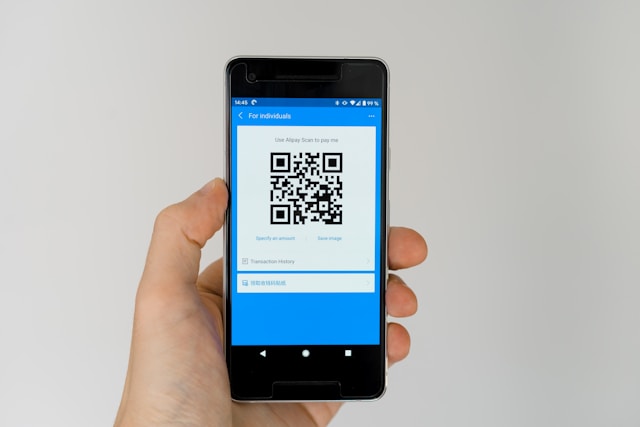
  • eSIM profile installation requires internet — you scan a QR code or enter an activation code, your phone downloads the carrier profile. If you wait until landing in China, your phone has no data connection yet to download the profile, and you're stuck in the airport unable to activate.
  • Verification SMS often goes to your home number for the eSIM purchase confirmation. Easier to receive at home.
  • Some eSIM plans start counting validity the moment they activate, others when you first connect to the network. Read the plan terms; for time-limited plans like 7-day Airalo, you usually want to activate the day before or day of arrival, not 3 days early.

Recommended timeline:

  • 3–7 days before flight: buy the eSIM, receive QR code via email.
  • 1–2 days before flight: scan QR, install profile while still on home Wi-Fi. Leave it set to "off" — don't enable data roaming yet.
  • On the plane (after landing): toggle airplane mode off, switch your active data line from home SIM to the China eSIM, enable data roaming on the eSIM line, leave your home SIM as the phone-call line only for receiving SMS / two-factor codes.

This is called Dual SIM mode on iPhone and most modern Android phones — both SIMs stay active, but only one carries data. Your home number can still receive verification SMS (essential for setting up Alipay if you haven't already), and the eSIM handles your internet.

iPhone specifics: Settings → Cellular → Data Roaming → On for the China eSIM line only. Set the China eSIM as the Cellular Data default, leave home SIM as the Default Voice Line for SMS.

Android specifics: Settings → Network & Internet → SIMs → set China eSIM as Mobile Data, leave home SIM as Calls / SMS.

Receiving SMS verification codes (the part most guides skip)

Travel eSIMs are data-only — they can't send or receive SMS and can't take voice calls. That's why the Dual SIM setup matters: your home SIM stays active just for SMS. Most major carriers (AT&T, T-Mobile, Verizon, EE UK, most EU operators, Telstra AU) deliver incoming SMS for free while you're roaming in China — bank codes, Alipay verification, two-factor codes all arrive normally without you doing anything special.

Two things to actually do:

  • Keep your home SIM line on, but turn data roaming OFF for that line. Otherwise your carrier will bill you $5–10/MB for international data — your eSIM is already handling data, so the home SIM doesn't need it.
  • Don't answer voice calls on the home SIM unless urgent. Incoming voice while roaming in China is typically $1–3/min. If family wants to reach you, ask them to call you on WhatsApp / WeChat instead — those go over eSIM data and are free.

Sending SMS from your home SIM in China is also expensive (often $0.25–1 per message), so for anything outgoing use WhatsApp or WeChat over eSIM data.

Does Google Maps / WhatsApp / Gmail actually work?

Yes, on any of the five eSIMs listed above. To verify on the ground:

  • Turn on the eSIM, turn off airplane mode, wait 30 seconds for the network handshake.
  • Open Google Maps. If it loads, your eSIM routing is correct. If it spins forever, you're not on the eSIM — check that the eSIM line is active and data roaming is on for that line specifically.
  • Same test for WhatsApp, Gmail, Instagram, YouTube.

Anything from Google including Google Translate (which is otherwise blocked) works on eSIM data. Apple Maps also works — it uses Apple's servers, not Google's, but the underlying tiles are equivalent quality in major Chinese cities.

What doesn't work on any eSIM: services that detect you're outside China and block you from the Chinese side — e.g., some Chinese banking apps that refuse to operate over international routing. This is rare and doesn't affect tourist needs.

Common mistakes

  • Waiting until you land to buy the eSIM. Without a working data connection at the airport, you can't download the eSIM profile. Solve this before flying.
  • Forgetting to enable data roaming on the eSIM line. This is the #1 reason travel eSIMs "don't work" on day one. Roaming is off by default on most phones — flip the switch on the eSIM line specifically, not the home SIM line.
  • Trusting "VPN included" marketing as a quality signal. It just means the provider routes through HK / Singapore — which every travel eSIM does anyway. Compare on price, speed, and data caps, not the "VPN" label.
  • Buying a local Chinese SIM thinking it will be easier. It puts you inside the firewall and forces you to also juggle a VPN. Skip unless you're staying 2+ months.
  • Activating too early on a time-limited plan. A 7-day plan activated at home 5 days before flight loses you 5 days. Read the plan's "activation starts when..." terms.
  • Disabling your home SIM completely. Keep it active for SMS (your bank, Alipay's verification, two-factor codes). Just route data through the eSIM.

Final notes

The 5-line summary, if that's all you read: buy Nomad's 10GB / 30-day China eSIM, install it on home Wi-Fi 2 days before flying, switch your data line to the eSIM after landing, leave the home SIM active for SMS only, don't bother with a VPN. ~$20, 10 minutes of setup, Google + WhatsApp + Gmail everywhere.

For the rest of pre-departure — visa, payments, ticket booking — see below.

eSIMConnectivityFirst TripTravel Tips