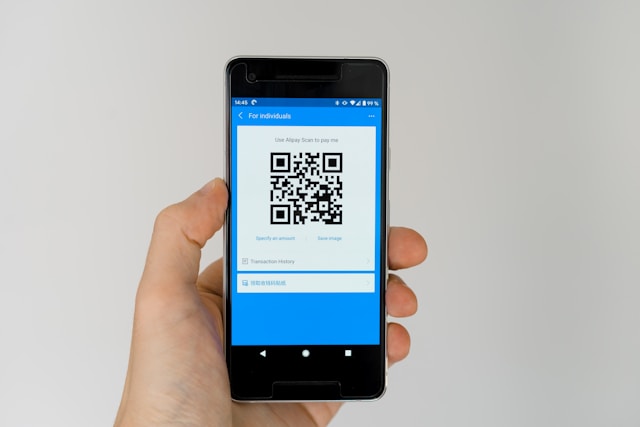
China is the country where physical cash quietly stopped working. Street stalls scan QR codes. Taxi drivers won't make change for a ¥100 bill. Even the ice-pop freezer at the corner shop expects a phone. If you arrive without Alipay (支付宝) and WeChat Pay (微信支付) set up, you're functionally cut off — every "I'll just pay cash" plan dies within the first 24 hours.
This article is not a screenshot-by-screenshot setup tutorial — the app itself walks you through those steps well enough. It covers the part nobody else writes about: which app to install first, the real transaction limits, what to do when a merchant refuses your foreign card, how the public-transit mini-programs actually work, and the four most common ways the payment fails on the first try.
Alipay vs WeChat Pay: install which one first?
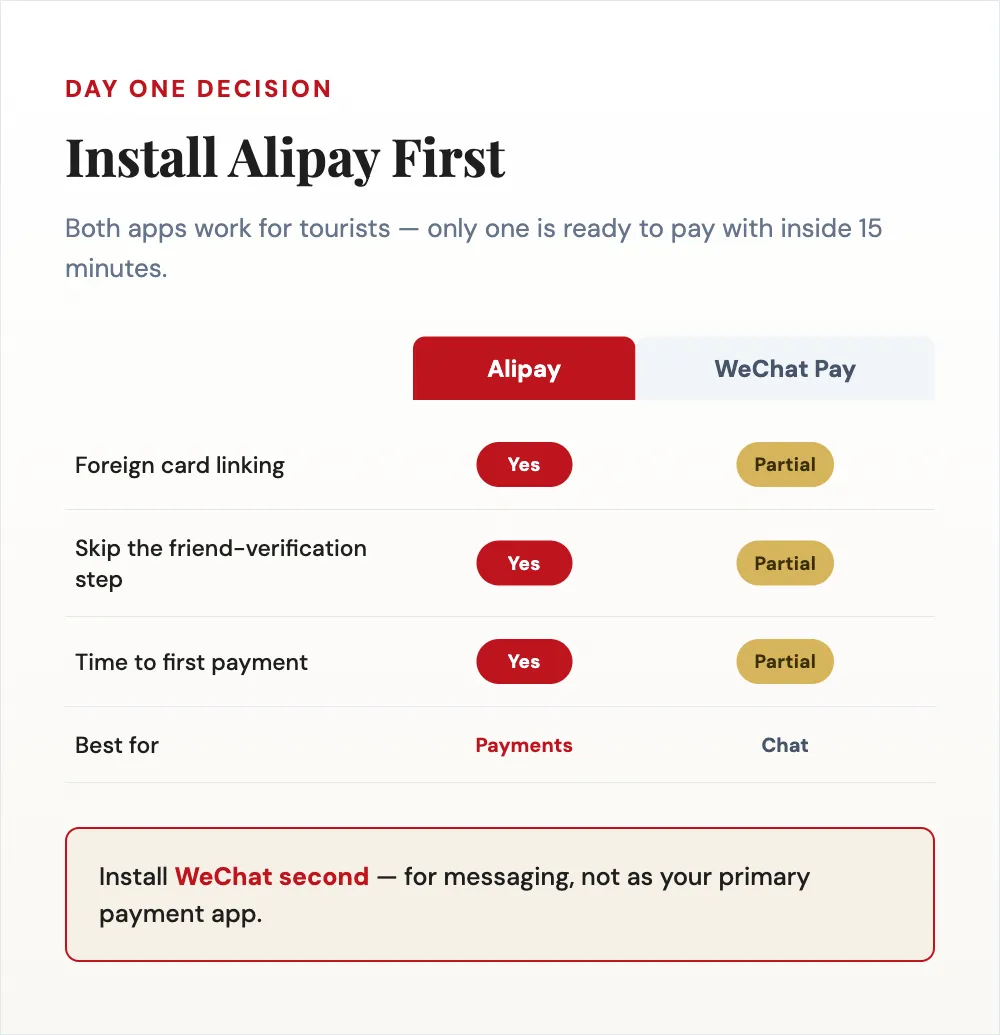
For foreign travelers, install Alipay first, then WeChat second. Three reasons:
- Alipay accepts foreign cards directly. Open the app, link your Visa / Mastercard / JCB, and you're paying within 10–15 minutes. No mainland bank account, no Chinese phone number required.
- Alipay is the Swiss-army knife — even on the international version. Once your foreign card is linked, Alipay defaults to its International Version, a slimmed-down build of the domestic app. The daily-travel essentials still work inside it: the metro Travel Card (乘车码) for most major cities, the DiDi (滴滴出行) ride-hail mini-program, and restaurant-review tools. Some domestic mini-programs (food-delivery Meituan, community-team-buy, hospital appointments, etc.) are missing on the international version — but for a tourist, what you need is there. High-speed-rail booking is done in a separate app (see the transit section), with Alipay as a supported payment method.
- WeChat onboarding is genuinely brittle for foreign users. Sign-up itself often goes through fine — then a few hours later WeChat's risk system flags the new account and asks any existing WeChat user with 6+ months of account history to scan your QR code and unlock it — the verifier doesn't have to be Chinese, or even in the same country: people routinely unlock it remotely by sending the QR code to a friend abroad over WhatsApp. If you genuinely have zero WeChat contacts, linking a foreign debit/credit card or completing WeChat Pay verification are official self-service alternatives that skip the friend requirement entirely. Still, if you're travelling solo with nobody to call on, this is the single biggest reason we recommend not making WeChat your primary payment app on a first trip.
The role of WeChat Pay for most foreign visitors is secondary: install it for chat (people will WeChat-message you constantly) and for receiving money from Chinese friends, but treat Alipay as your default for actual payments.
Special case — Alipay+ partner wallets. If you're coming from a country whose home e-wallet is on Alipay's international "Alipay+" network — most notably Kakao Pay (Korea), Touch'n Go eWallet (Malaysia), GCash (Philippines), AlipayHK (Hong Kong), and a handful of others — your existing wallet's QR code already works at Alipay-accepting merchants across the Chinese mainland. You don't necessarily need to install Alipay at all. Most travelers from Europe and North America aren't covered (no Apple Pay, no Venmo, no PayPal), but if you're flying in from Asia, check your home wallet first.
Setting up Alipay: the things to do before you fly
The single highest-impact rule: set up Alipay in your home country, not in China. Two reasons:
- Verification SMS goes to whichever number you register with — not necessarily your home number. You can register Alipay with a Chinese SIM bought after you land, foreign card linked, no problem — long-term expats confirm this works fine. The real constraint is different: if you register with your home number before flying, and Alipay later asks for a fresh SMS code mid-trip, you'll need that home SIM reachable again (an eSIM slot, or a quick physical swap) to receive it. Registering after arrival with a Chinese number sidesteps that entirely — the tradeoff is you're doing the setup in your first jet-lagged hours instead of calmly at home.
- Some banks flag the registration as "high-risk foreign transaction" and freeze the card. Easier to call your bank and clear it when you're in your home time zone, not at 2am in a Beijing airport.
What cards Alipay accepts:
- Visa, Mastercard, JCB — well supported, smooth flow.
- American Express, Discover — partial support, sometimes works, sometimes doesn't. Have a Visa/Master backup.
- Prepaid cards — generally rejected. Use a real credit or debit card.
- Cards without 3D Secure (older bank-issued cards) — frequently rejected. Newer bank cards almost all have 3D Secure now.
When you link the card, Alipay may charge a tiny verification amount (refunded) and may ask you to upload a passport scan. Don't skip the passport step — it triggers the higher transaction limit (more on this next).
Transaction limits: the most-misunderstood number
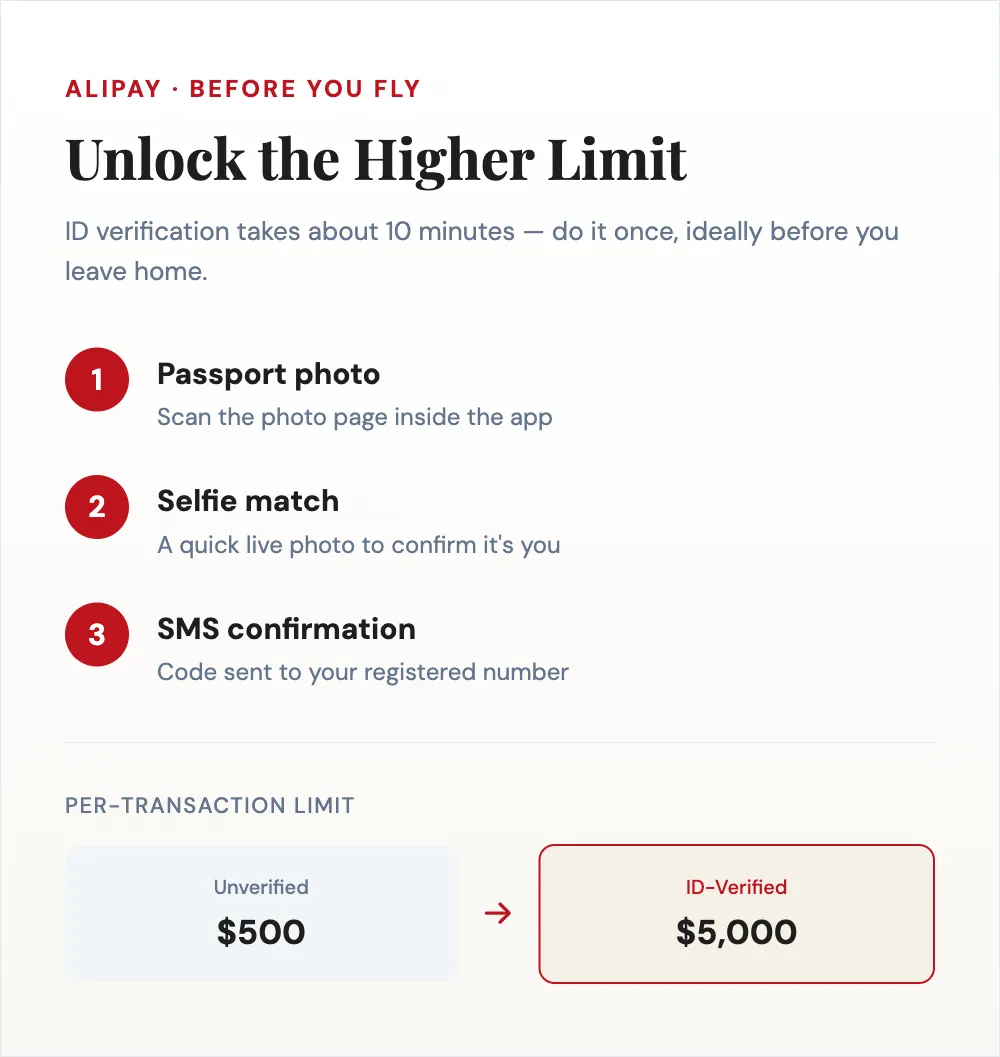
The limits changed materially in April 2024 and most older articles are now out of date. As of 2026:
| Status | Single transaction | Annual cap |
|---|---|---|
| Unverified (just card linked, no ID) | ~$500 USD | ~$2,000 USD |
| ID-verified (passport + SMS code) | ~$5,000 USD (¥35,000) | ~$50,000 USD (¥350,000) |
Practical translation:
- For most travelers under 2 weeks, the ID-verified ceiling is irrelevant — you'd have to spend $5,000 on a single hotpot to hit it.
- The unverified $500-per-transaction limit catches people at hotels, big restaurants, and shopping splurges. If you try to pay a ¥4,000 hotel bill on an unverified Alipay, it fails — same with a ¥3,000 dinner at Quanjude.
- The fix is doing the passport-verification step once, ideally before you fly. It takes about 10 minutes in the app: passport photo, selfie, SMS confirmation. After that you're in the higher tier for the rest of your trip.
If you skip ID verification you're effectively capping yourself at $500/transaction for the entire trip. Don't.
Setting up WeChat Pay (secondary)
Install WeChat first (for messaging), then go to Me → Services → Wallet → Bank Cards → Add a Card to link a foreign card. WeChat technically supports Visa / Mastercard since mid-2023.
Two real differences from Alipay:
- No mainland bank account required, same as Alipay since the policy change.
- Account verification is the real obstacle, not the card link — that's the QR-unlock friction covered in the first section. If you clear it but the card itself gets rejected: try again after 24 hours, try a different card, or have a WeChat contact send you a small red packet (¥0.01) — receiving it sometimes activates the wallet that "linking the card" couldn't.
WeChat Pay's transaction limits are roughly the same as Alipay's, but the ceiling for foreign-card transactions is enforced at the merchant level too — some merchants who accept foreign Alipay don't accept foreign WeChat Pay, and vice versa. This is why having both is useful: when one fails at a register, switch to the other.
When a merchant refuses your foreign card
This happens more often than the marketing material admits. Four real reasons and what to do about each:
1. Merchant hasn't enabled foreign-card processing. Smaller storefronts, street stalls, and neighborhood restaurants default to "domestic only." The fix is on the merchant's end, not yours — ask them to call Alipay (95188) or WeChat (95017) merchant support to toggle the foreign-card switch. Both are Chinese-language hotlines menu-first, so it needs to be the merchant (or another Chinese speaker) making that call, not you. Patient merchants do it in 5 minutes; impatient ones wave you off. If you'd rather not rely on the merchant, each app also has its own in-app help / customer service chat (Me → Help & Feedback) — easier to navigate without Chinese than the phone line, though it won't flip the merchant's setting for you. Your move: switch to the other app, or pay cash. Don't argue.
2. You hit your transaction or annual cap. Alipay shows a vague "transaction failed," not "limit reached." Fix: verify your ID, or split the payment.
3. Your bank flagged it. Common pattern: payment fails, bank says "we see no issue," but the next attempt also fails — the fraud system silently blocks. Call the bank's international fraud line directly.
4. Bad signal. Subway stations, basements, weak Wi-Fi all cause timeouts. Step outside or onto Wi-Fi before retrying — don't hammer the scan button.
The five-second triage when a payment fails: switch to WeChat Pay → if also fails, try a smaller amount → if still fails, pay cash and check the bank app for declines on the way home.
Public transit: metro, bus, taxi, high-speed rail

Each transit mode has its own payment path inside the apps.
Metro and city bus. Open Alipay, search for "乘车码" (chéng chē mǎ, "Travel Card") in the mini-program section. Pick the city you're in (Beijing, Shanghai, Guangzhou, Shenzhen, Chengdu, Chongqing, Hangzhou, Xi'an, and dozens more are supported). Tap "Activate" once, and the mini-program generates a QR code that you scan at the metro turnstile or bus reader. Charges are deducted from your linked card automatically per ride. The Travel Card works on a foreign card — this is one of the smoother foreign-traveler experiences in China.
Taxis (registered, with meters). Pay through Alipay or WeChat by scanning the small QR code on the dashboard or the driver's phone. Some older drivers and rural-area taxis only take cash — keep ¥100 in small bills as a fallback.
DiDi (ride-hail). Runs as a mini-program inside Alipay — full details in the next section.
High-speed rail. Buy tickets via 12306 (the official China Railway app) or Trip.com in English. Both accept Alipay and foreign cards directly. At the station, walk through the gate using your passport (no need to print a paper ticket); the gate's facial-recognition reader and your passport scan are enough.
DiDi the easy way
DiDi is the China Uber/Lyft equivalent. Use it through Alipay's DiDi mini-program (search "滴滴出行" in Alipay) — no separate app install, no Chinese phone number, no separate registration; your linked foreign card pays automatically when the trip ends, and the interface is partially in English. If the mini-program isn't visible on your version, the standalone DiDi Rider app also takes international numbers and foreign cards. Three things to know:
- Pin your pickup carefully. Chinese addresses are imprecise; auto-GPS often lands 100m off. Drag the pin manually.
- Drivers may call you when they can't find you. Most don't speak English — end the call and use the in-app text chat with auto-translate.
- Most large hotels block DiDi pickup at the door — the driver will pin a corner nearby; walk there.
A 20-minute cross-city ride in Beijing or Shanghai is ¥30–60, much cheaper than Western equivalents.
Common mistakes and gotchas
- Waiting until you arrive in China to register. The verification SMS goes to your home number, and your bank's fraud line is easier to reach from home. Do it before flying.
- Skipping ID verification. Caps you at $500 per transaction for the whole trip. Spend the 10 minutes once.
- Running a VPN while paying. If you're on a VPN (say, to get Google on hotel Wi-Fi), know that Alipay's risk system sometimes flags VPN-routed traffic and refuses payments — turn it off when paying. On a travel eSIM this problem doesn't exist, since you don't need a VPN in the first place.
- Trusting "黄牛" (yellow cattle) selling "fast-track payment setup." These touts hover near airports offering to help you register an account for a fee. The official Alipay setup is free and takes 15 minutes; the "fast" version is a way to skim your card details.
- Showing the QR code instead of scanning it (or vice versa). Two flows exist: you scan the merchant (small stalls, taxis) vs the merchant scans you (big stores, restaurants). If one fails, try the other. Inside Alipay: "扫一扫 (Scan)" vs "收付款 (Pay/Receive)."
- Assuming your foreign card works everywhere. Even with both apps set up, expect 1 in 20 payments to fail somewhere. Carry a small cash backup.
The role of cash
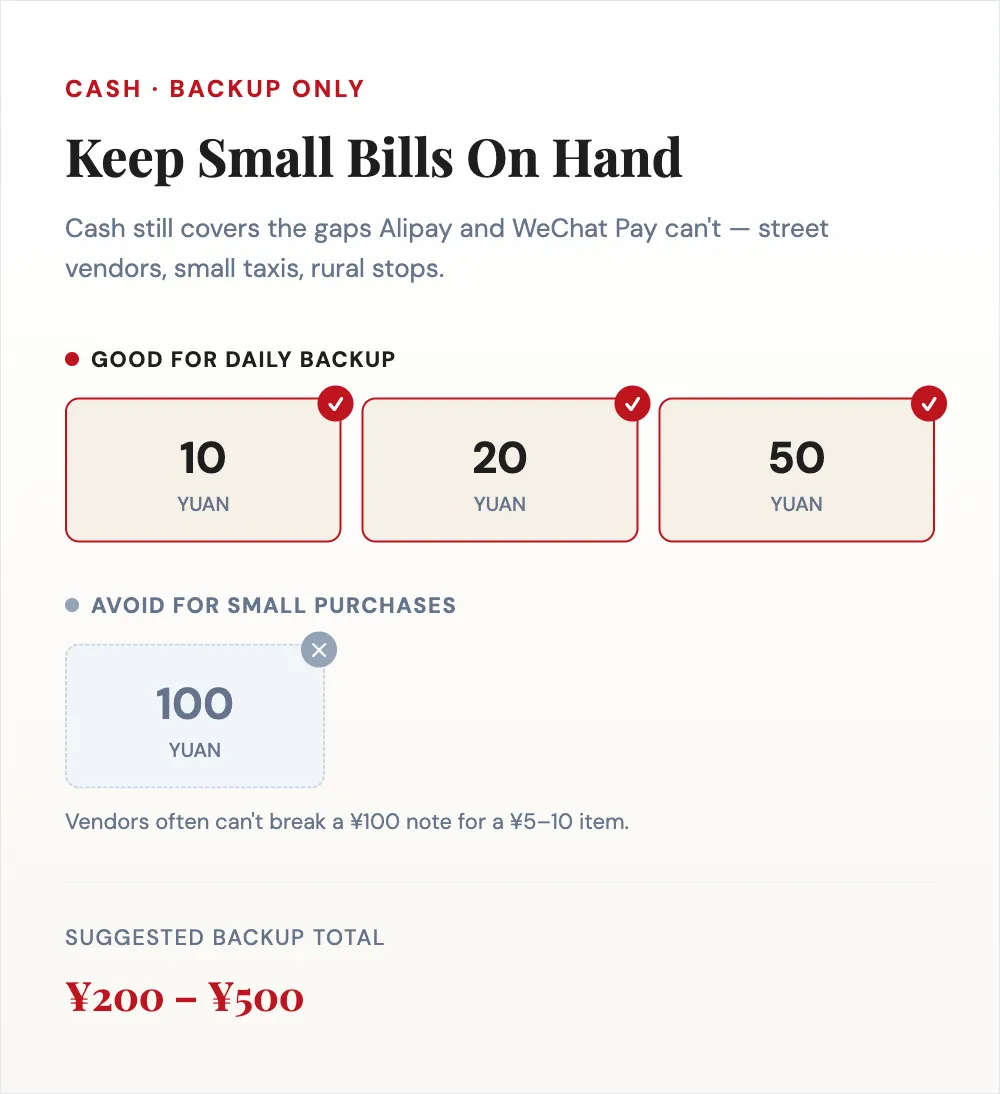
Cash hasn't disappeared, but its role has shrunk to "backup for the edge cases." Carry ¥200–500 in small bills (¥10, ¥20, ¥50) at all times.
Stuck with no cash and no ATM nearby? A trick that actually works: go to a supermarket or convenience store, buy something small, and ask the cashier to let you pay more than the total through Alipay or WeChat Pay so they hand you the difference back in cash — pay ¥105 for a ¥5 item and walk out with ¥100. It's not an official service, just cashiers being accommodating, so it depends on whether their till has enough loose cash and whether they're willing (most are, especially outside a rush). A friendly attitude goes a long way here.
The places cash still matters:
- Street vendors, especially older ones who never set up a merchant QR code
- Some taxi drivers, especially in smaller cities or late at night
- Tipping (when it happens, which is rare — tipping isn't really a thing in China)
- Markets, religious sites, and rural areas
Avoid ¥100 bills for small purchases — vendors often can't make change for a ¥100 bill on a ¥5 transaction.
Final notes
If you do one thing before you fly: install Alipay, link a Visa / Mastercard, complete the ID verification with your passport. It's the same 20-minute setup I walk every visiting friend through at their kitchen table before they fly — and it eliminates 80% of the payment problems foreign travelers run into in China.
Official sources: Alipay+ — Pay in the Chinese mainland for the international wallet network and tourist-card details, and WeChat Pay's product index for WeChat's own documentation.
For a one-page summary of cards, cash and backups, see the China payment guide. For the broader entry-and-prep picture, pair this with the 240-hour visa-free transit guide, the attraction booking guide, and the eSIM guide — payments, entry, tickets, and data are the four things worth sorting before the plane.